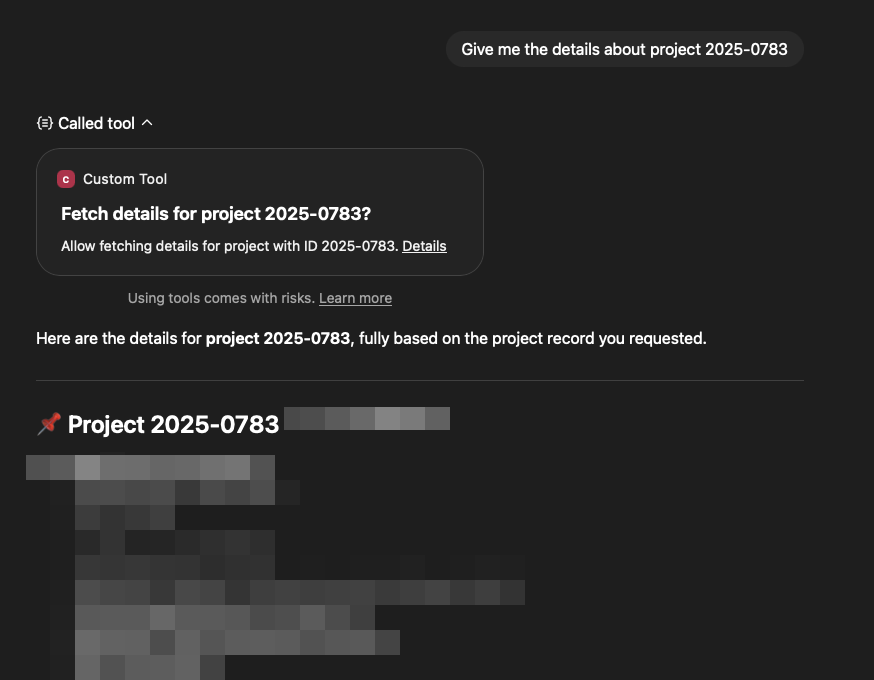
⚠️ Warning: Do not use this in production
This experiment connects ChatGPT to a (local) Symfony application.
Most online examples use an STDIO-based MCP server through console commands. Which works fine locally. This setup embeds the MCP server in an existing web application and makes it accessible online, without running it as a separate process.
MCP Bundle
See MCP Bundle for more information.
Since there is no official release yet, install the dependencies manually:
composer require mcp/sdk@dev-main
composer require symfony/mcp-sdk@dev-main
composer require symfony/mcp-bundle@dev-main
To get this working I had to do some extras.
Add the MCP route
# config/routes.yaml
mcp:
  type: mcp
  resource: .
Configure MCP
# config/packages/mcp.yaml
mcp:
  client_transports:
    http: true
    stdio: false
  discovery:
    scan_dirs:
      - 'src/Mcp'
  http:
    path: '/mcp'
This enables Streamable HTTP. scans tools, prompts, … in src/Mcp. Makes route for the MCP server /mcp.
Firewall
If you’re using a firewall, exclude the MCP route from authentication.
Important: this is insecure! Add proper security if you’re running beyond a local experiment.
Create the MCP Elements
See MCP PHP SDK for more information.
#[McpPrompt(
  name: 'summarize',
  description: 'Gives a prompt to summarize a project.'
)]
public function summarize(string $id): array
{
  return [
    'role' => 'user',
    'content' => "...",
  ];
}

#[McpTool(
  name: 'fetch_project',
  description: 'Fetch a project by the given id.'
)]
public function fetchProject(string $id): string
{
  ...
}
Running MCP Inspector
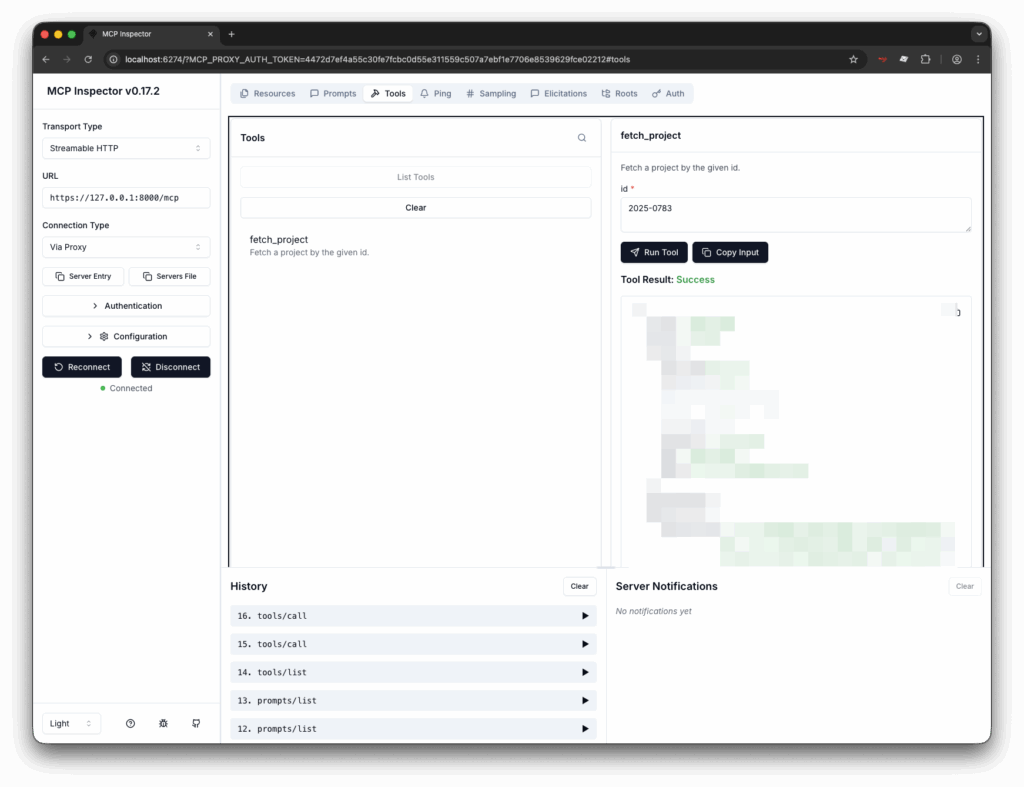
Most tutorials suggest using MCP Inspector. It was a hassle to get it working with a local web application.
NODE_TLS_REJECT_UNAUTHORIZED='0' npx @modelcontextprotocol/inspector --transport http --server-url https://127.0.0.1:8000/mcp
NODE_TLS_REJECT_UNAUTHORIZED='0'disables TLS check (needed for self-signed certs, that are use in Symfony Server)--transport httpenables Transport Type = Streamable HTTP.--server-url https://127.0.0.1:8000/mcppoints to your local MCP server.
Use the IP, not the friendly URL if you are using Symfony’s proxy.
After launching the Inspector, confirm that Connection Type shows “Via Proxy”—otherwise it won’t work.
Connecting ChatGPT
ngrok
Use ngrok to expose your local web application to the internet.
ngrok http 8000
Connector in ChatGPT
- Open ChatGPT.
- Click your user in the bottom left.
- Click Settings.
- Choose “Apps & Connectors”.
There you can create a new connector.
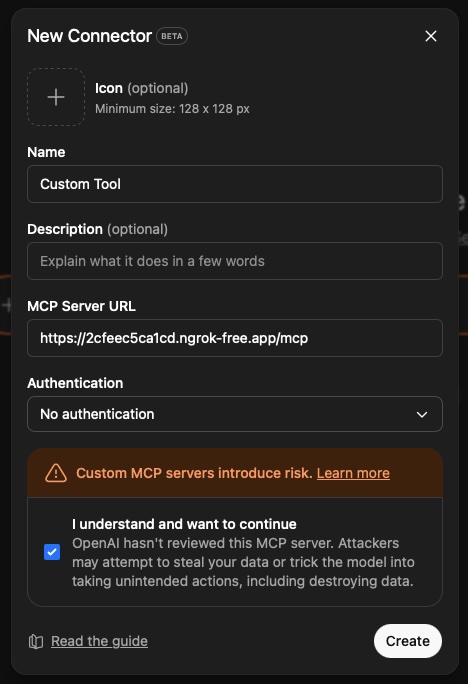
Use your ngrok url as the MCP Server url. Don’t forget to append /mcp
Select “No authentication”.
As said before: Do not use this on production!
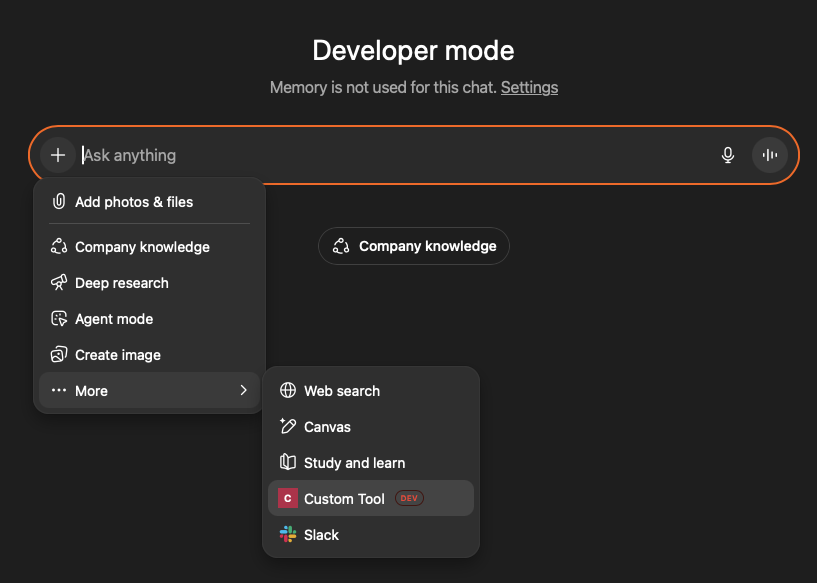
To be able to use the connector without publishing you need to scroll down in the “Apps & Connectors” screen and enable “Developer mode”, under “Advanced settings”.
After enabling developer mode: Activate the tools when chatting with ChatGPT.
If ChatGPT chooses to use your tool, it first asks for permission. Once granted, it immediately calls the tool.