At home I have Niko Home Control for traditional wiring installed. To control, automate my “smart home” I use Home Assistant“.
Dimmed lights?
Because I’m old I need to pee at 03:00. At night I want some lights to be dimmed instead of getting blinded by a light that is at full brightness.
Niko Home Control II
This is probably possible by programming some custom routine with some conditions in the Niko Home Control programming software.
The interface is nice for easy actions and can be done by clicking, but the routines are complex to grasp.
But secondly: in the future I will automate more that is not part of Niko Home Control, so it is more logical to use Home Assistant.
Home Assistant & Niko Home Control II
Home Assistant does not have a official integration for Niko Home Control II, but there is the Niko Home Control II integration of @joleys through HACS.
This integration uses the MQTT server that is available through the Niko Home Control II hub and Niko Home Control Hobby API.
Automation
I thought automating this would be very easy.
I have a schedule configured “Nightime”, which has the state On between 22:00 and 07:00. And two automations that trigger when the state of the light change from Off → On . The first automation has a condition to check if the state of Nighttime is On, the second has a condition to check if the state is Off. The action calls the service light.turn_on, which has the possibility to set the brightness percentage.
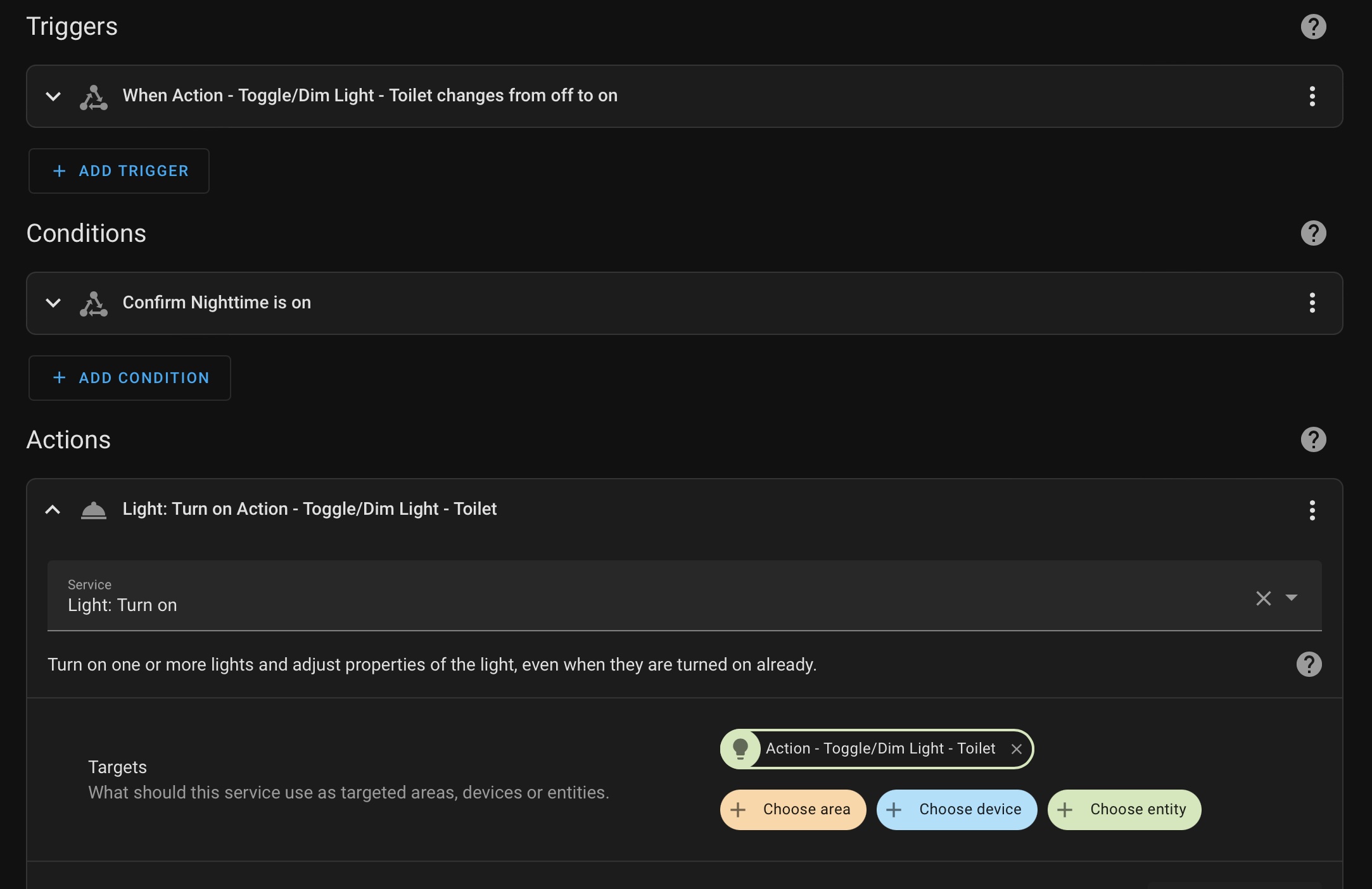
But this has a very annoying problem: when I turn the light on, it turns on with the previous brightness. So if I turn the light on during the day or alter the brightness to 100% and I turn it on during nighttime it will be 100% and then dim to the brightness (35%) I want.
Remark: if you disable Dimmer Memory in the software the brightness is 100% when the lights turns on.
I did not find an easy solution to this problem. A workaround would be to turn the lights on and off automatically at certain times, which means seeing lights going on and off when you don’t expect it.
Pull request
My Python knowledge is not really amazing, but how hard can it be?
I made an integration for my FusionSolar solar panels before, so I decided to dig in the code.
There is already functionality to set the brightness for a light available in the integration, this sends a MQTT message that changes the brightness property, but more importantly this does not turn the light on.
So I added a service in @joleys integration that allows to set the brightness for a light and made a pull request. The PR is not merged yet, so if you install the current version this won’t be available.
New automation
With this new service available I have an automation that triggers when the Nighttime schedule changes to On and this calls the service for the lights I want to be dimmed at Nighttime.
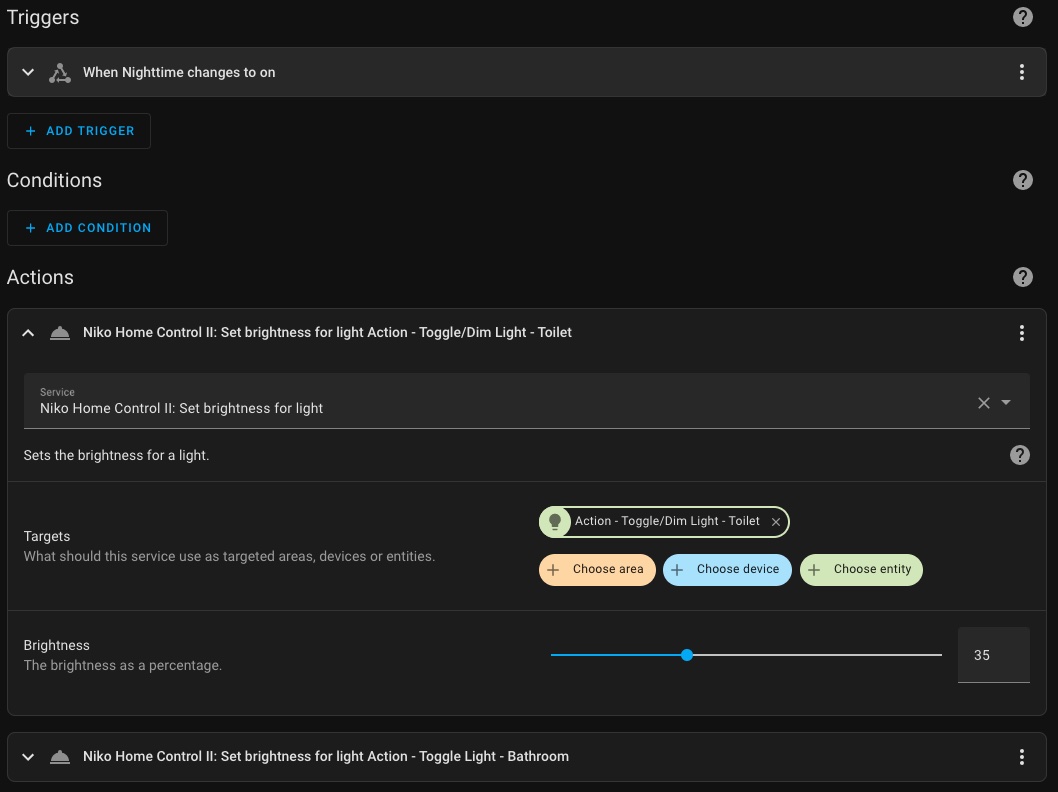
And there is another automation that set the brightness for daytime when the Nighttime schedule turns Off.